Showing posts with label zune hard drive. Show all posts

Monday, March 26, 2007

Microsoft Zune HDD Hack - Video

"The Zune pwns the iPod in almost every way, but it lacks in avaiable storage. An easy hack has been buzzing around the internet lately that allows you to upgrade your Zune's HDD to up to 100GB!

Now its easy for you to try it yourself with my video outlining all the steps."


http://www.youtube.com/watch?v=pJwLn75RQRM

Thursday, February 8, 2007

Zune External Hard Drive Video

I found a tutorial on YouTube making your Zune be used as an external hard drive by using regedit, there have been many written tutorials with screenshots, but haven't seen videos...

Thursday, January 25, 2007

Zune External HDD Patcher Update

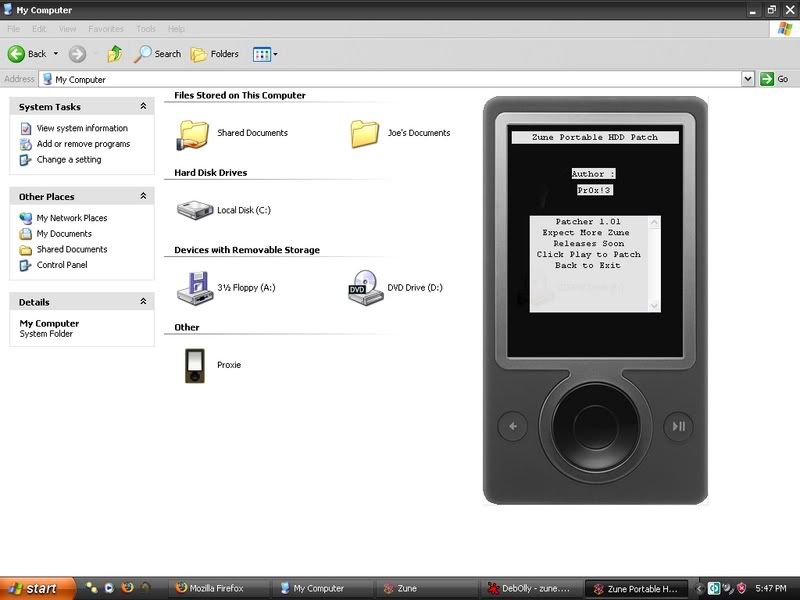
This Patch is for People that want to use there Zune as an external HDD but dont want to get there hands dirty by using the registry. It is written purely in win32 asm so it doesnt depend on any other files to run.

(Screenshot here)


Installation:

  1. Unplug your zune and shutdown Zune software
  2. Run Patcher
  3. Plug your Zune back in
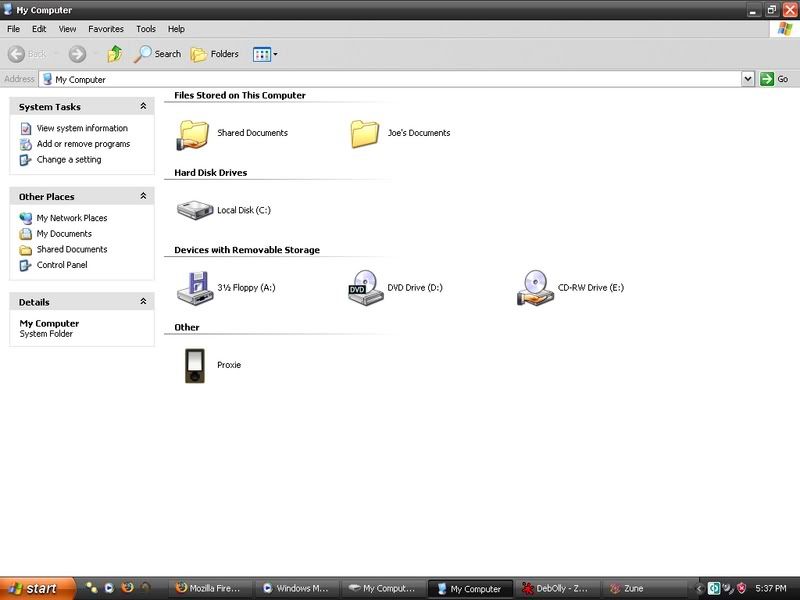
  4. Goto MY Computer and You will see your zune.
Note: This is NOT a copy of the berdon patcher nor is it meant to take the place of. Its merely my version that doesnt require the .net framework and is prettier lol

Download Here (Ver. 1.01)

Friday, January 19, 2007

How to: Format your Zune's Hard Drive

Although I have not tried this, there have been several people confirming that this works. Please be advised the following steps will completely erase all your music, pictures, and videos. Do not attempt this if you still want anything on your Zune.

First, hold the back+down button to shut down.

During bootup...

Format EVERYTHING (Including firmware)
Hold the back+left_center to do a full format. (It will they go through several steps and ask you to connect your Zune to the PC and upload the latest firmware. You need to complete this for your Zune to run normal.

Format DATA ONLY
Hold back+right+center to erase your content (music/pictures/videos). Everything will run find but you will not find anything on your Zune.

That should do it, please leave some comments to let me know how it works out for you!

Thursday, January 18, 2007

Hacked Zune goes sells on eBay

An 80 GB Zune is on sale on ebay for $450.00 and a couple people have purchased them. Their warranty if void, but they get to store a WHOLE LOT of music/videos/pictures.

For those who are interested in purchasing, you may want to contact cheapguy69 from ebay.

View auction here.

Thursday, January 11, 2007

Detailed Zune Hard Disk Files

A member at zunerama.com, ZunePet, has recently discovered that the "Access Zune filesystem in Windows" hack that was unveiled a while back that it doesn't contain all of the files that are actually on the Zune. If you are just storing files on your Zune, than this doesn't concern you, but if you are trying to hack the Zune and put on your own firmware, than you might want to read his post.

If you want direct access to your Zune hard drive, you need to take out the Zune hard drive and connected it to other hardware like an iPod or special adapter
Then it will appear as TWO different partitions. The system partition (~150MB) which contains the real NK.BIN firmware and other stuff, and the data partition.
The data partition contains the media content.
The actual media info and data is stored in a database on the Zune hard drive (Microsoft SQL Mobile) and in other non-obviously named files.

"\Hard Disk\" (152MB partition, only 9% of space used)
Code:
02/03/2003  10:21 PM           262,315 eboot.bin
02/03/2003 10:21 PM 11,154,839 nk.bin
02/03/2003 10:22 PM 80 pmcver.dat
02/03/2003 10:22 PM 1,373,735 recovery.bin
[current date/time] 57,344 pmcstore.edb

The 3 BIN files are exactly the same as the ones on your computer. Typically "C:\Program Files\Zune\Firmware\Zune01010322.cab". Don't trust the dates in the listings (2003?)
The pmcver.dat file is a short file. The pmcstore.edb is a little database ("EDB" SQL mobile format). This stores user specific settings (many string values like "SyncPartner" and "EnableWifi").

-----
The media partion, "\Hard Disk2\" contains raw media data, with fake names and a big database. It is a little under 30GB in size.

Code:
[------------------]              Content
02/03/2003 10:23 PM 5,656 devcert.dat
[current date/time ] 1,347,584 drmstore.dat
[current date/time ] 160 MediaItems.dat
[current date/time ] 167,772,160 MediaLibrary.edb
[current date/time ] 131,072 MediaLibrary_thumbs.edb

Under 'Content' are the media files with synthetic names you aren't supposed to see, examples:
Code:
\Content\0100\00\0b.wma
\Content\0100\00\c3.wma
...
\Content\0600\00\0f.jpg
\Content\0600\00\12.jpg


Files sizes and layout under Content will be different on your Zune.
The Windows Explorer (using the MTP) formats the file names into a more user friendly format (eg: "\Storage\Music\blahblahblah) using info in the database. As mentioned, this is fake filtered view.
Click here to read more about his topic.

Wednesday, December 6, 2006

Toshiba announces 100GB 1.8-inch HDD


This could be the next best mod for the Zune, installing a 100 GB hard drive...savings TONS of music & videos. For those who haven't read, learn how you can upgrade your Zune to a 30, 40, 60, or even 80GB in my one of my previous blog posts.

Buy.com Zune

Zune 30GB MP3 / Video Player Black

Zune 30GB
MP3 / Video
Player Black

Contact